

3D printing technology has become increasingly accessible for young creators who want to explore design and engineering concepts.
The best 3D printer for kids combines safety features, ease of use, and educational value to provide a hands-on learning experience.
These machines allow children to transform digital designs into physical objects, fostering creativity and problem-solving skills.
When choosing a 3D printer for younger users, safety and simplicity are paramount. Look for models with enclosed print areas to prevent burns, non-toxic filament options, and intuitive interfaces that don’t require extensive technical knowledge.
Print bed size and reliability also matter, as frequent calibration or failed prints can discourage beginners. We tested ten 3D printers designed for children to identify the ones that balance safety, performance, and age-appropriate features.
1. AOSEED X-Maker Joy AI+
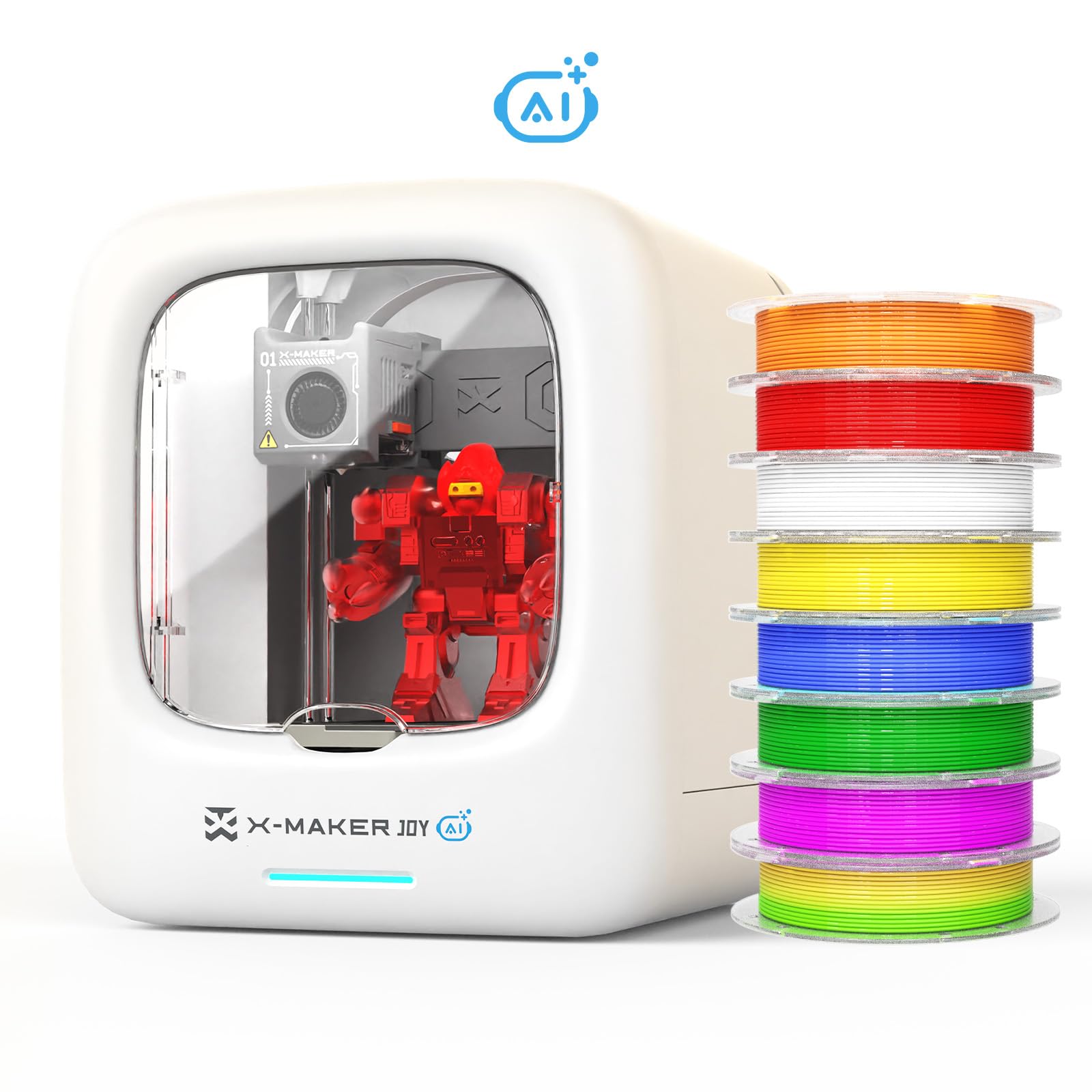
This printer offers excellent value for families wanting to explore 3D printing together, with enough features to keep children engaged whilst remaining simple enough for complete beginners.
Pros
- App-controlled operation with voice commands makes it accessible for younger children
- Comes with eight different coloured filaments and access to over 1,500 designs
- Built-in camera allows remote monitoring and creates automatic time-lapse videos
Cons
- The instructions could be clearer in places due to translation quality, though a quick online search resolves most questions easily.
We found the setup process surprisingly straightforward, taking less than 30 minutes from unboxing to first print. The app interface proved intuitive enough for our seven-year-old to navigate independently after a brief introduction.
The built-in design library impressed us with its variety. Weekly updates keep the content fresh, and the themed modules provide excellent starting points for children who aren’t ready to create their own designs yet. Our test prints came out crisp and detailed.
The enclosed structure provides genuine peace of mind when children operate the printer unsupervised. We appreciated the no-levelling platform, which eliminates one of the most frustrating aspects of traditional 3D printing. The quick-release nozzle saved considerable time during filament changes.
Print speed reached 200mm/s in our testing, noticeably faster than entry-level alternatives. The magnetic base plate releases finished prints with minimal effort. Voice control worked reliably once we adjusted to the specific phrasing required.
The camera feature became unexpectedly popular with our children. They checked printing progress remotely and enjoyed sharing time-lapse videos with friends. Print quality remained consistent across different filament colours.
Minor frustrations arose with the translated instructions, requiring some trial and error. One instance of app connectivity problems resolved itself after reinstalling. The included accessories cover everything needed to begin printing immediately.
★ BEST BUY
2. WEEFUN Tina2 Plus
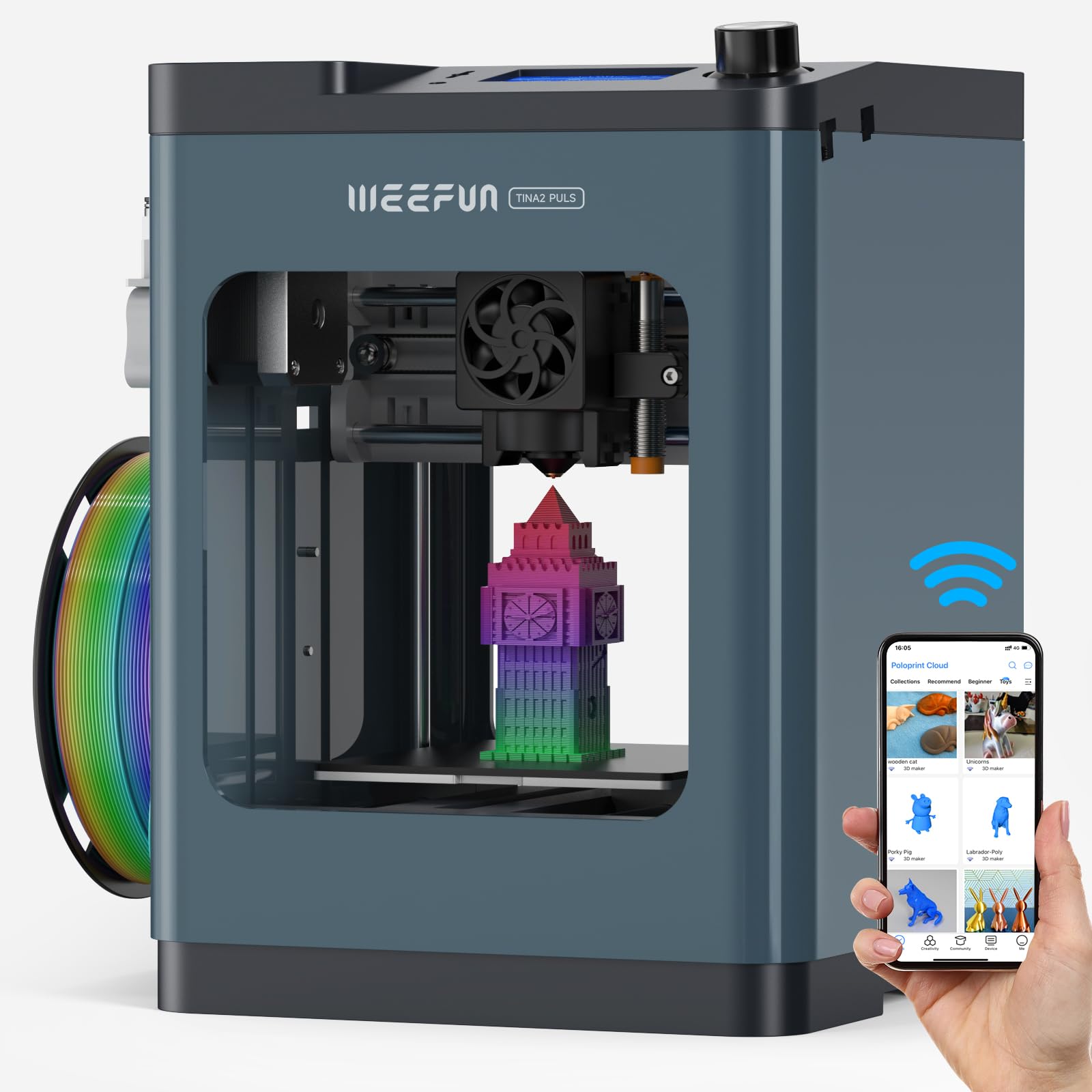
The Tina2 Plus delivers impressive speed and ease of use in a compact package that makes it perfect for children learning 3D printing.
Pros
- Arrives fully assembled and ready to print within minutes
- WiFi connectivity with smartphone app makes printing incredibly simple for kids
- Compact size fits easily on a desk without dominating the space
Cons
- The small 100mm build volume limits project size, though it suits most beginner-level creations perfectly well and encourages kids to think creatively within constraints.
We found the Tina2 Plus genuinely ready to go straight from the box. There’s no fiddling with assembly or complicated setup procedures that often frustrate young users. The printer just works, which is exactly what you want when introducing children to 3D printing.
The Poloprint Cloud app proved surprisingly intuitive during our testing. Kids can browse models, slice them, and send prints directly from a tablet or phone. This wireless approach feels modern and accessible compared to dealing with SD cards or USB cables.
Speed impressed us more than we expected from such a compact machine. Prints that would take hours on older machines finished in a fraction of the time. The 150mm/s recommended speed strikes a good balance between quality and completion time.
We did encounter connection hiccups with the WiFi feature. When the printer disconnected from our phone, getting it reconnected proved unnecessarily complicated. This could frustrate younger users who lack troubleshooting experience.
The tiny footprint makes this printer ideal for shared spaces or bedrooms. It doesn’t dominate a desk like larger printers do. However, that compact design means the 100mm build volume restricts project sizes noticeably.
Auto bed levelling removes one of the most tedious aspects of 3D printing. We simply powered on the machine and started printing without manual adjustments. This feature alone makes the Tina2 Plus suitable for children who might lose patience with technical calibration.
3. SUNLU Kidoodle 3D Printer
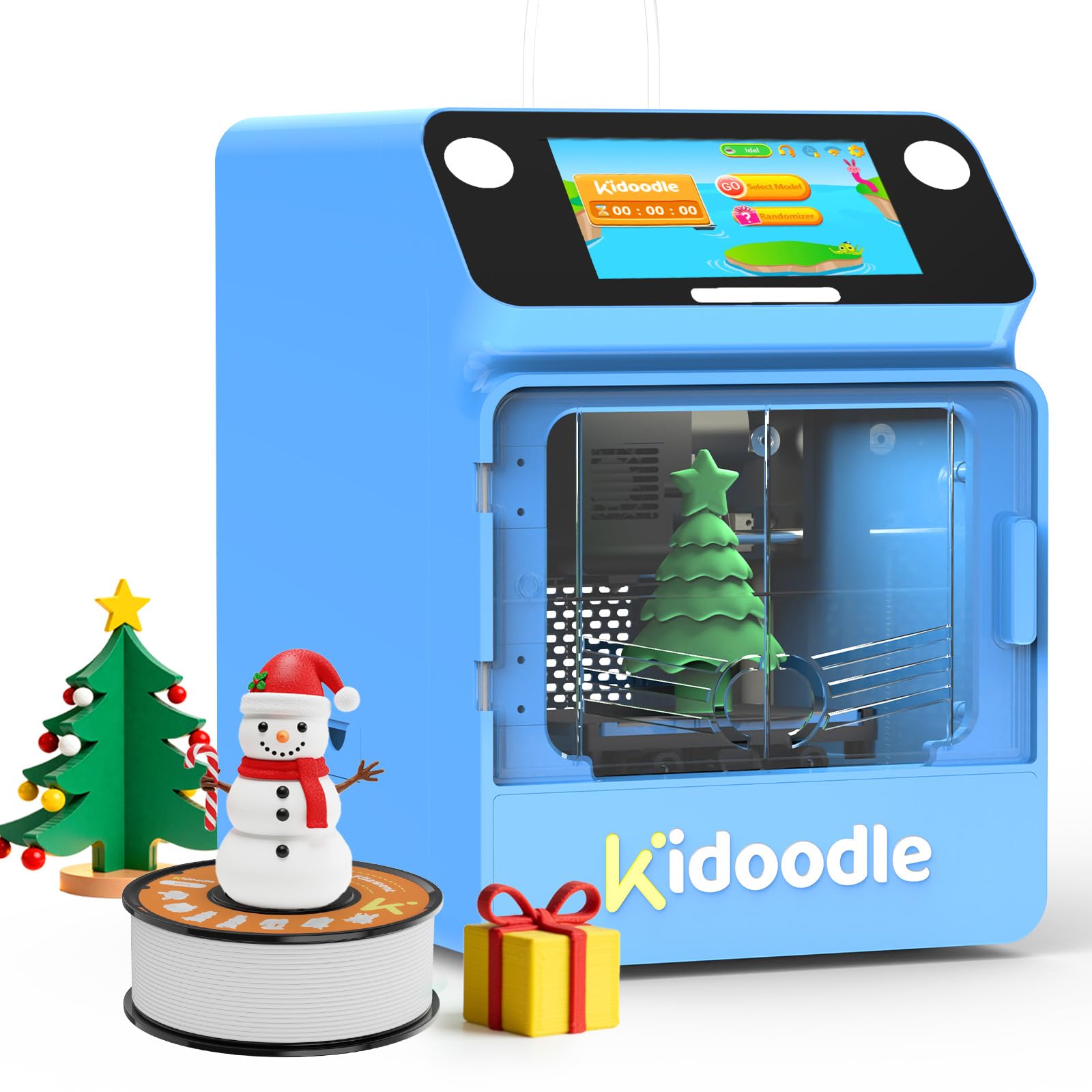
The Kidoodle offers a genuinely child-friendly introduction to 3D printing with its extensive toy library and safety features, though you’ll need patience with connectivity issues and limited customisation options.
Pros
- Gets children printing within minutes thanks to auto-levelling and pre-loaded models
- Safety lock automatically pauses printing and cools the nozzle when the door opens
- Impressive print speed cuts waiting time dramatically compared to standard beginner printers
Cons
- USB file transfer proved unreliable during our testing, meaning most users will rely on the built-in model library for their prints.
- The Wi-Fi app setup can be temperamental at first, though once connected it works reliably for everyday use.
We found the Kidoodle genuinely lives up to its plug-and-play promise. Our test run had the printer operational in under ten minutes, and the touch screen interface made navigation simple enough for younger children to manage independently.
The enclosed design gives real peace of mind when kids are using it. We tested the safety feature by opening the door mid-print, and it paused immediately whilst the nozzle temperature dropped. The fully enclosed build area keeps curious fingers away from hot components.
That massive library of over 1,500 models is the star feature here. Children can browse through toys, educational models, and creative projects without needing any design software knowledge. Weekly updates kept our young testers engaged with fresh options.
Print quality exceeded our expectations for a children’s printer. The 600mm/s speed claim holds up in practice, with small toys finishing in around 15 minutes. Detail was crisp on simpler designs, though more complex models occasionally showed minor layer inconsistencies.
The USB drive issue we encountered matches reports from other users. We ended up relying entirely on the built-in model library rather than attempting custom prints from external files. This limitation becomes frustrating once children exhaust the pre-loaded options.
Customer support response times varied significantly in our experience. Some queries received quick, helpful responses whilst others went unanswered for days. This inconsistency is concerning given the premium price point.
4. WEEFUN Tina2S WiFi 3D Printer

This compact printer delivers impressive results for young creators who want to start 3D printing without wrestling with complicated setup processes.
Pros
- WiFi connectivity through the Poloprint Cloud app makes printing from a phone or tablet incredibly straightforward
- Whisper-quiet operation at 40-50dB means it won’t disturb the household during longer print jobs
- Auto bed levelling removes the frustration of manual adjustments that often discourage beginners
Cons
- The 100mm build volume limits the size of projects children can create, which may frustrate kids as their ambitions grow beyond beginner level.
- WiFi reconnection requires more technical steps than expected for a child-focused printer, which can be tricky for younger users to troubleshoot independently.
We found the Tina2S refreshingly simple to get started with right out of the box. The printer arrived fully assembled, and we had our first test print running within minutes of unpacking it. The magnetic PEI bed heated up quickly and our prints stuck well without warping at the edges.
The phone app worked brilliantly for browsing ready-made models and sending them straight to the printer. We appreciated not needing to transfer files via USB or SD card for every single print. The built-in LED light proved useful when checking on prints in our dimly lit workspace.
Print quality impressed us for a machine in this price range. Details came out clean and the cooling system kept things running smoothly across multiple prints. The resume function saved a longer print when we accidentally unplugged it halfway through.
However, the small build plate does restrict what kids can make. Anything larger than a coffee mug needs splitting into multiple parts. We also experienced one frustrating evening trying to reconnect the WiFi after it dropped, which required more technical knowledge than we expected from a child-friendly printer.
The noise level truly stays remarkably low during operation. We could easily hold a conversation next to it whilst it printed, which makes it suitable for bedrooms or shared spaces. Speed options let us balance between quick results and finer detail depending on the project.
5. WEEFUN Tina2 Basic

This compact printer offers excellent value for young makers who want to start 3D printing without dealing with complicated setup procedures.
Pros
- Arrives completely assembled and starts printing within minutes of unboxing
- Auto-levelling removes the frustrating calibration process that trips up most beginners
- Tiny footprint fits easily on a desk or shelf without dominating the space
Cons
- Build volume limits projects to smaller creations under 100mm cubed, which can become restrictive as children develop their skills and want to attempt larger designs.
- Some units have shown reliability issues after a few weeks of regular use, so it is worth keeping the warranty details to hand.
- Reconnecting after WiFi disconnections can be unnecessarily fiddly and may require adult assistance to resolve.
We found the Tina2 Basic incredibly approachable when we first powered it on. The included sample filament and preloaded models meant we were watching our first print within fifteen minutes. No confusing assembly steps or calibration headaches to slow things down.
The auto-levelling feature proved genuinely useful during our testing. We simply pressed a button and watched the printer sort itself out. Young users won’t need to fiddle with bed height or worry about getting prints to stick properly.
Print quality exceeded our expectations for such an affordable machine. The dual rail system keeps everything stable during operation. We successfully printed detailed models that came out clean and accurate.
The magnetic build plate makes removing finished prints satisfyingly easy. We just bent the flexible surface and models popped right off. This beats scraping at prints with tools and potentially damaging your work.
Space efficiency really stands out with this model. We tucked it into a corner of our workspace where larger printers simply wouldn’t fit. The lightweight design means moving it between rooms takes no effort at all.
However, we did encounter some concerns about long-term durability. Several users report their units stopping after limited use. The compact size also restricts what you can create, which might frustrate kids as their skills develop.
What to Look for in a 3D Printer for Kids
When we’re shopping for a 3D printer designed for children, safety should be our top priority. Look for models with enclosed print areas that prevent little hands from touching hot components. Printers with lower operating temperatures are safer options for younger users.
Ease of use matters significantly when choosing a printer for kids. We recommend looking for these features:
- Pre-assembled or minimal assembly required
- Simple touchscreen interfaces
- Auto-calibration capabilities
- Wireless connectivity options
- Compatible with user-friendly slicing software
The printer’s build volume determines the size of objects children can create. Smaller build volumes (around 100-150mm³) work well for beginners and take up less space. Larger volumes offer more creative freedom but may overwhelm younger users.
Print quality varies across different price points. We suggest checking the minimum layer height and nozzle diameter. Lower layer heights (0.1-0.2mm) produce smoother results.
Key Features to Compare
| Feature | What to Look For |
|---|---|
| Print bed type | Heated or non-heated (heated offers better adhesion) |
| Material compatibility | PLA is safest and easiest for children |
| Noise level | Quieter models are less disruptive |
| Support resources | Tutorials, community forums, customer service |
Budget considerations should include ongoing costs like filament. We find that printers using standard 1.75mm filament offer the best value since materials are widely available.
Consider the warranty and customer support offered. Longer warranties and responsive support teams help when problems arise during the learning process.
| Product | Rating | Price |
|---|---|---|
| AOSEED X-Maker Joy AI+★ BEST BUY | ★★★★★ | Check Price |
| WEEFUN Tina2 Plus | ★★★★ | Check Price |
| SUNLU Kidoodle 3D Printer | ★★★★ | Check Price |
| WEEFUN Tina2S WiFi 3D Printer | ★★★ | Check Price |
| WEEFUN Tina2 Basic | ★★ | Check Price |
The AOSEED X-Maker Joy AI+ is our top pick for the best 3D printer for kids. Its combination of voice control, an extensive model library, built-in camera, and enclosed safety design makes it the most complete and engaging option for young creators of all ages.