

Laser printers deliver fast, efficient printing for everyday home tasks like documents, school assignments, and occasional graphics.
Unlike inkjet models, they use toner cartridges that last significantly longer and resist drying out between uses. This makes a laser printer ideal for households that print sporadically but need reliable performance when they do.
When choosing the best laser printer for home use, consider print speed, running costs, and whether you need colour or monochrome output.
Compact designs save desk space, whilst wireless connectivity adds convenience for multiple users. We tested ten home laser printers to identify models that balance quality, affordability, and ease of use.
1. Brother HL-L2400DWE Mono Laser Printer
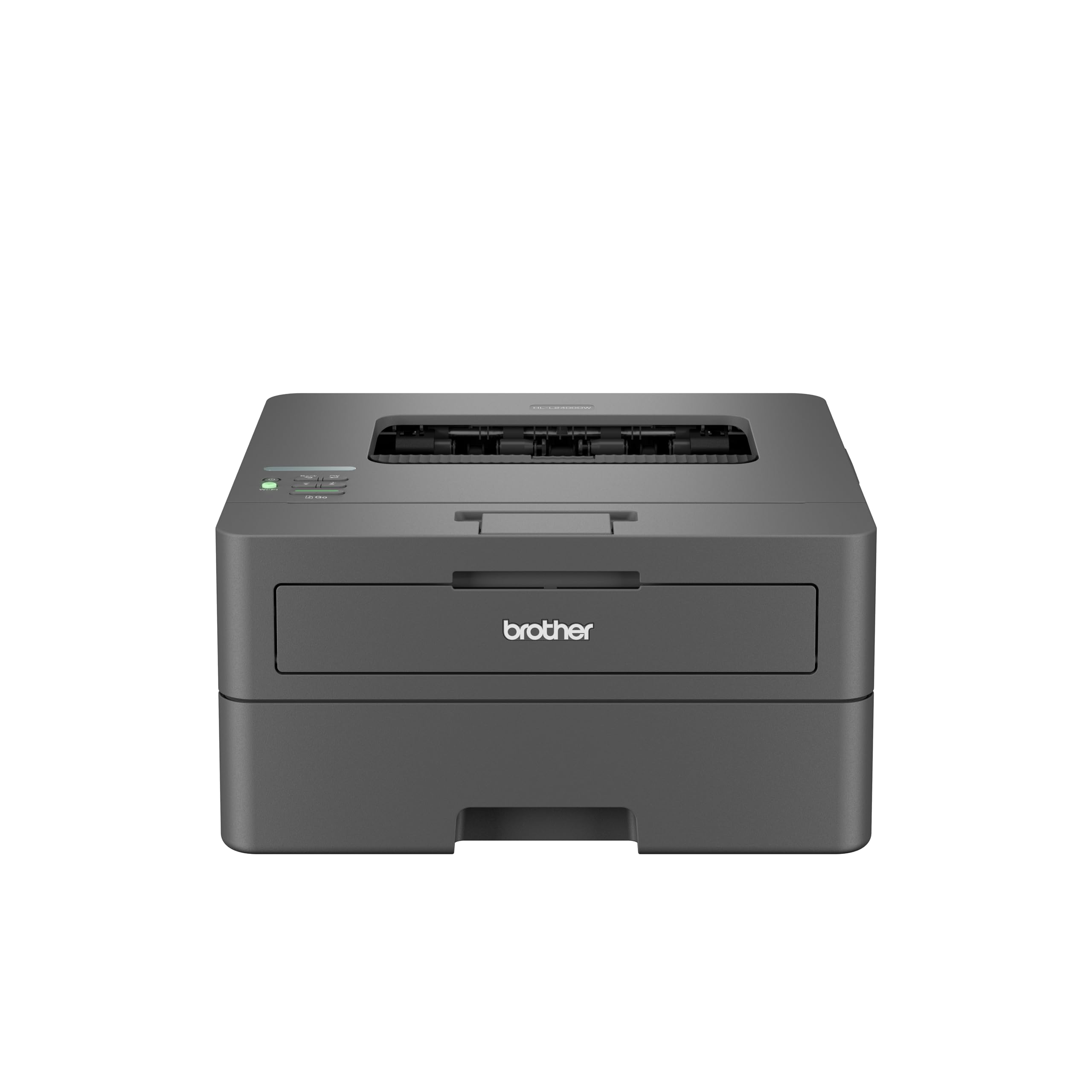
The Brother HL-L2400DWE is a solid choice for home users who want reliable monochrome printing without the hassle of running out of toner unexpectedly, thanks to its EcoPro subscription service.
Pros
- Automatic toner delivery means we never have to worry about running out during important print jobs
- Fast 30-page-per-minute output gets documents printed quickly without compromising quality
- Built-in automatic duplex printing saves paper and makes double-sided documents effortless
Cons
- The EcoPro subscription is focused on monochrome printing, so those who occasionally need colour output will require a separate device, though for document-heavy households this is rarely a concern.
We found the setup process straightforward and had the printer connected to our Wi-Fi network within minutes. The Brother Mobile Connect app worked reliably for sending documents from our smartphones, which proved handy when we needed to print something quickly without turning on the computer.
Print quality exceeded our expectations for everyday documents. Text came out crisp and professional-looking at 600 x 600 dpi, whilst the printer handled the 250-sheet paper tray capacity with ease.
The EcoPro subscription deserves special mention. Brother automatically sends replacement toner before we run out, and the four-month free trial let us test the service without commitment. We appreciated the flexibility to change or cancel whenever we wanted.
Speed impressed us during longer print runs. The 30-page-per-minute output meant we weren’t standing around waiting for multi-page documents to finish. Automatic duplex printing worked smoothly and saved us from manually flipping pages.
The compact footprint fit comfortably on our desk without dominating the space. At 7.1 kilograms, we could move it around easily when needed, though it felt sturdy enough to stay put during operation.
★ BEST BUY
2. HP LaserJet MFP M235sdw
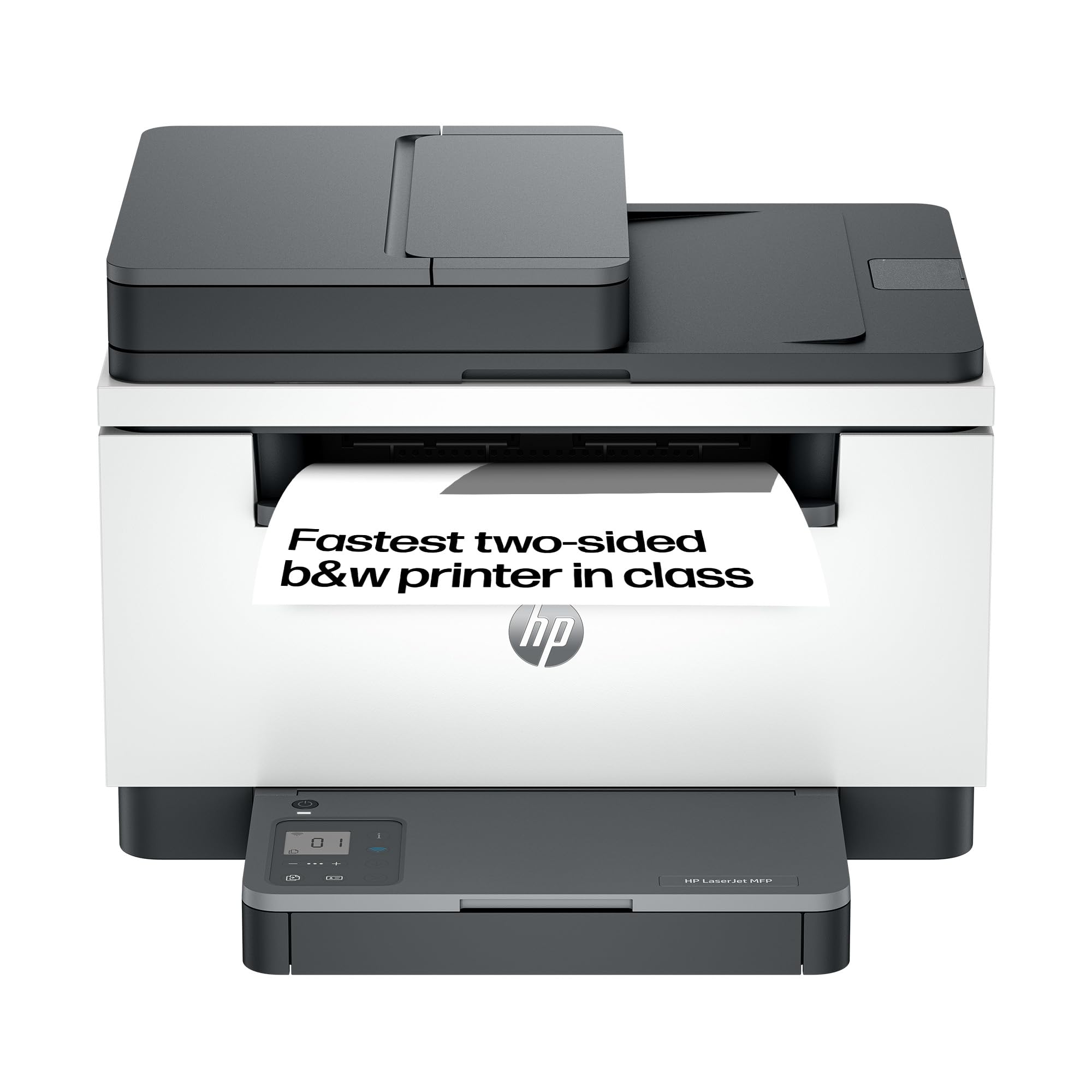
This compact laser printer delivers reliable double-sided printing and scanning at a reasonable price point, making it a solid choice for home offices that primarily need black and white documents.
Pros
- Double-sided printing happens quickly without manual intervention, saving time and paper
- Setup through the HP Smart app takes just minutes, and the wireless connection stays stable
- Compact footprint fits easily on a desk without taking up valuable workspace
Cons
- The flatbed scanner requires manually flipping pages to scan both sides, which adds a little time when copying double-sided documents, though single-sided scanning works perfectly well.
We found the printing speed genuinely impressive during our testing. Documents fly out at a pace that keeps up with our workflow, and the automatic duplex feature works smoothly without jamming or misfeeding pages.
The compact design surprised us given how much functionality HP packed into this unit. We placed it on a small corner desk where our previous inkjet wouldn’t have fit. The white casing looks modern and blends well with most office decor.
Setting up wireless printing through the HP Smart app proved straightforward on our devices. We appreciated being able to send documents from our phones and tablets without fussing with cables or complicated network settings. The connection has remained steady throughout our use, reconnecting automatically after power cycles.
Print quality meets our expectations for everyday documents and forms. Text comes out crisp and readable at 600 DPI resolution. The scanner produces clean copies through the automatic document feeder, though we wish it could scan both sides of a page in one pass.
Energy efficiency stands out as a practical benefit. The printer powers down when we’re not using it and springs back to life quickly when we send a job. This feature has likely saved us on electricity costs compared to our old machine that stayed warm all day.
Toner costs remain manageable since we’re only buying black cartridges. We’ve noticed the starter cartridge lasted several weeks of moderate use before needing replacement. HP provides clear warnings when levels run low, giving us time to order a new one before running completely dry.
3. Brother HL-L2400DW Mono Laser Printer

This printer delivers reliable monochrome printing at a reasonable price, making it a solid choice for home users who need consistent document output without fussy maintenance.
Pros
- Prints quickly at 30 pages per minute, which saves time during larger printing jobs
- Automatic double-sided printing reduces paper consumption and eliminates manual flipping
- Setup takes just minutes with straightforward WiFi connection that works reliably
Cons
- Monochrome only means a separate device is needed for colour documents, which may be a consideration for households that occasionally print graphics or photos.
- The starter toner cartridge yields just 700 pages, so budgeting for a higher-capacity replacement fairly early on is worth factoring into the overall cost.
We found the Brother HL-L2400DW surprisingly light to handle when unboxing. The compact footprint fits comfortably on a home office desk without dominating the workspace.
Print quality impressed us straight away. Text comes out crisp and professional, suitable for everything from simple letters to detailed reports.
The 250-sheet paper tray means we’re not constantly refilling, even during busier weeks. Loading paper is simple, and the tray slides in smoothly without any fiddling about.
Automatic duplex printing proved genuinely useful for reducing our paper usage. The printer handles both sides without jamming, which has been refreshingly reliable compared to inkjet alternatives.
WiFi connectivity worked on the first attempt during setup. We appreciate that it supports 5GHz networks, which helps maintain stable connections in busier wireless environments.
The single-line LCD feels a bit basic but gets the job done for essential functions. Navigation isn’t as intuitive as multi-line displays, though we adapted quickly enough.
4. HP LaserJet M207dw
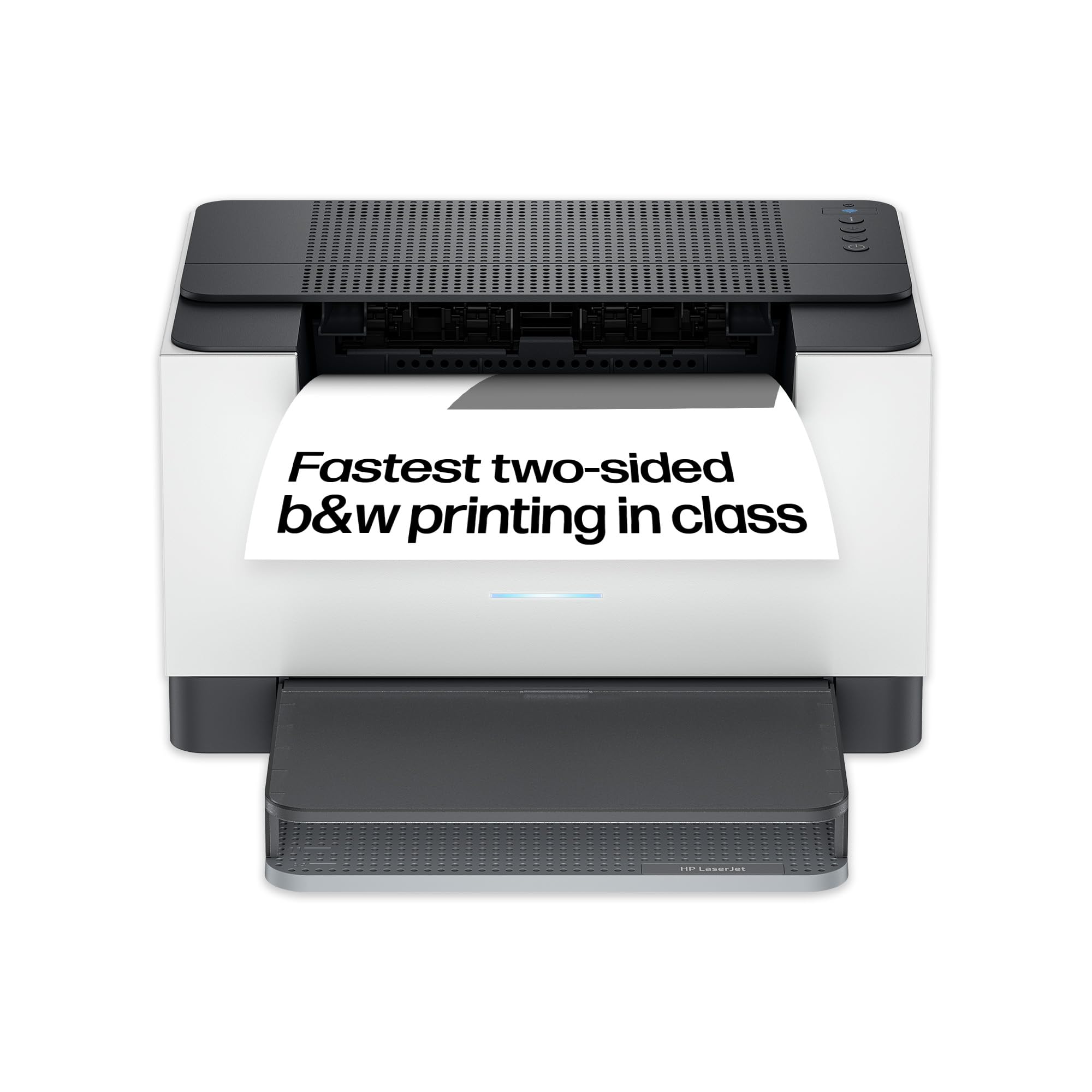
The HP LaserJet M207dw delivers fast, reliable wireless printing in a remarkably compact package that suits most home office setups.
Pros
- Impressive automatic duplex printing speed that handles documents quickly without manual intervention
- Ultra-compact footprint fits easily on cramped desks whilst maintaining full functionality
- Simple wireless setup through the mobile app connects to devices in minutes
Cons
- Occasional connectivity hiccups can require a quick manual reconnection to the network, though the printer generally stays stable during everyday use.
- Limited to monochrome printing only, so a separate device will be needed for any colour output requirements.
We were genuinely surprised by how much printer HP managed to squeeze into such a small chassis. The M207dw sits comfortably in tight spaces where our previous printer would never fit.
Setting up wireless printing took us less than five minutes using the HP app on our phone. We appreciate how the printer automatically reconnects to our Wi-Fi network after power cycles, though we did experience the odd disconnect that needed a quick manual reconnection.
Print speeds genuinely impress during everyday use. Documents fly out at a pace that matches the 28 pages per minute claim, and the automatic duplex feature works smoothly without jamming. The printer defaults to double-sided printing, which saves paper but can catch you off guard when you only wanted a single sheet.
Print quality remains consistently sharp for text documents and fine details. We tested it with small font sizes and intricate graphics, and everything came out crisp without smudging or fading.
The energy-saving auto-off feature helps reduce power consumption when we forget to turn it off manually. It wakes up quickly when we send a print job, so there’s minimal waiting around.
5. HP LaserJet M234dw
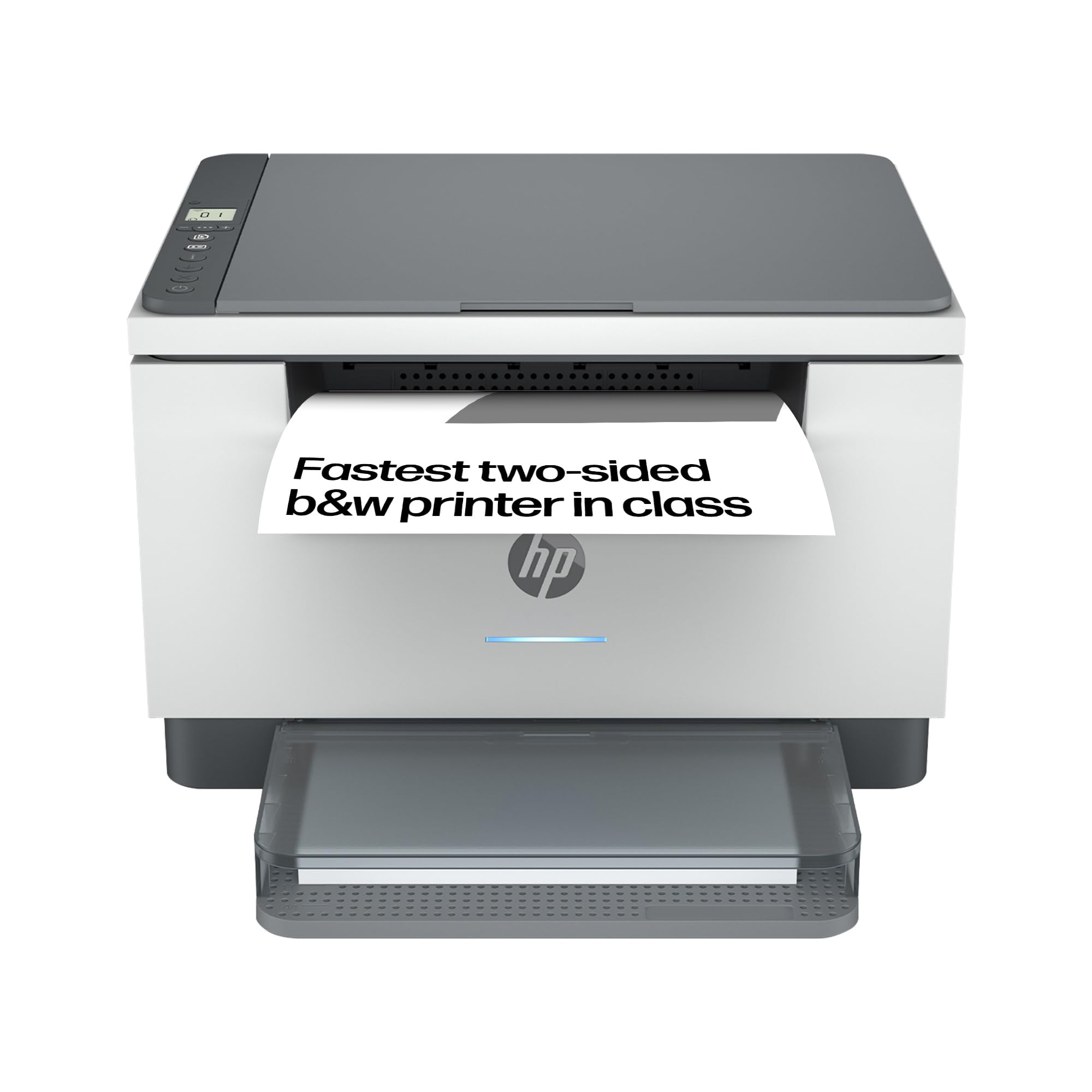
This compact all-in-one handles everyday home printing tasks with impressive speed and wireless convenience that makes it worth considering for most households.
Pros
- Remarkably quick two-sided printing that saves time when working through longer documents
- Mobile printing through the HP Smart app works smoothly for scanning and sharing files to cloud storage
- Setup takes minutes with straightforward WiFi connection across multiple devices
Cons
- Toner consumption runs higher than expected for some users, which pushes the cost per page up and is worth factoring into your long-term budget alongside the purchase price.
- The printed setup guides lack sufficient detail, and the included instructional videos offer limited help during initial installation, so some patience may be required.
- WiFi Direct connectivity can be temperamental and may not work reliably with all devices, making it less dependable than a standard wireless network connection.
We’ve been using this printer for several months now and it handles our daily printing needs without fuss. The speed really stands out when we’re printing reports or school assignments, especially with duplex printing that doesn’t slow things down too much.
Print quality delivers clean, sharp text that looks professional for letters and documents. Scanning works well through the flatbed, and we appreciate being able to send scans directly to email or cloud storage without needing a computer nearby.
The compact size fits comfortably on our desk without dominating the space. We connect from laptops, tablets and phones without issues, though the initial setup required a bit of patience to locate the admin password on the device itself.
Running costs deserve attention because toner seems to deplete faster than we anticipated based on page counts. We’ve noticed the cost per sheet adds up if you’re printing frequently, so factor that into your budget alongside the initial purchase price.
Security features built into the printer give us confidence when printing sensitive documents at home. The device feels solid despite its lightweight construction, and after months of regular use it continues performing reliably without paper jams or connection drops.
What to Look for in a Home Laser Printer
When we’re choosing a laser printer for home use, we need to consider several key factors that will affect our daily printing experience.
Print Speed and Volume
Print speed matters if we regularly print multiple pages. Most home laser printers handle 20-30 pages per minute, which suits typical household needs. We should also check the monthly duty cycle to ensure it matches our expected usage.
Print Quality
Resolution determines how crisp our documents will look. A standard 600 x 600 DPI works well for everyday documents, whilst 1200 x 1200 DPI or higher produces sharper text and better graphics.
Connectivity Options
We should look for printers that offer the connection types we need:
- USB for direct computer connection
- Wi-Fi for wireless printing from multiple devices
- Ethernet for wired network setups
- Mobile printing for smartphones and tablets
Running Costs
The initial price isn’t everything. We need to consider toner costs and page yield. Some cartridges print 1,500 pages whilst others manage 3,000 or more, significantly affecting our long-term expenses.
Colour or Monochrome
Monochrome printers cost less upfront and have cheaper running costs. Colour laser printers offer more versatility but require multiple toner cartridges.
Paper Handling
Standard paper trays hold 150-250 sheets. We should consider whether we need automatic duplex printing for two-sided documents or multiple paper trays for different sizes.
Size and Design
Laser printers can be bulky. We must measure our available space and check the printer dimensions before purchasing.
| Product | Rating | Price |
|---|---|---|
| Brother HL-L2400DWE Mono Laser Printer★ BEST BUY | ★★★★★ | Check Price |
| HP LaserJet MFP M235sdw | ★★★★ | Check Price |
| Brother HL-L2400DW Mono Laser Printer | ★★★★ | Check Price |
| HP LaserJet M207dw | ★★★ | Check Price |
| HP LaserJet M234dw | ★★ | Check Price |
The Brother HL-L2400DWE Mono Laser Printer is our top pick for the best laser printer for home use, combining 30 pages per minute output, automatic duplex printing, and Brother’s EcoPro toner subscription that ensures you never run out mid-job. Its compact design, reliable wireless connectivity, and low ongoing running costs make it the most complete package for home printing in this roundup.